Key Features To Look For In A Bill Payment App
A bill payment app can help users manage recurring household and service payments from one digital interface. Electricity, water, gas, mobile, broadband and other eligible bills can often be reviewed and paid without visiting multiple websites or physical payment locations.
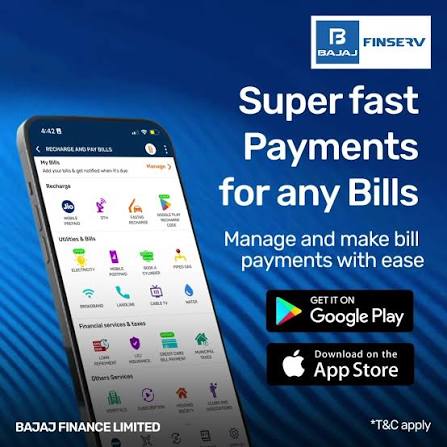
Some users may also access tools such as a personal loan calculator within a broader financial app to estimate borrowing obligations alongside regular expenses. While such tools can support financial planning, bill management should primarily focus on payment accuracy, security and timely completion.
A reliable bill payment app should make routine transactions easier to track while giving users clear information about payment status, due dates and transaction history.
Check The Range Of Supported Billers
The usefulness of an application partly depends on the types of bills it supports.
Common categories may include:
- Electricity
- Water
- Gas
- Mobile postpaid
- Broadband
- DTH
- Municipal services
- Other eligible utility payments
- Broader Coverage Can Reduce App Switching
If several common billers are available within one platform, users may spend less time moving between separate websites or applications.
However, users should still verify that the specific service provider they need is supported before relying on the app for recurring payments.
Review The Payment Process
A good bill payment flow should be easy to understand.
Users should be able to review the bill amount, service provider and account details before confirming a transaction.
Verify Details Before Paying
Important information to check may include:
- Customer or account number
- Biller name
- Billing period
- Due amount
- Due date
- Payment method
Entering an incorrect account number can cause complications, so users should verify saved biller details periodically.
Look For Due-Date Reminders
Missed bill payments can lead to late fees or temporary service interruptions.
Reminder features can help users keep track of upcoming obligations.
Notifications Should Be Useful, Not Excessive
A practical reminder system may alert users:
- Before the due date
- On the due date
- When a bill is generated
- After successful payment
Too many unrelated notifications can reduce the usefulness of important reminders.
Users may prefer apps that allow notification preferences to be managed.
Check Available Payment Methods
Different users may prefer different payment methods.
Depending on the platform and biller, payment options may include:
- UPI
- Debit card
- Credit card
- Net banking
- Other supported digital methods
- Payment Availability Can Differ
Not every payment method may be available for every bill category.
Users should check applicable terms, transaction limits and charges before choosing a payment route.
The presence of multiple payment choices can improve convenience but should not encourage unnecessary spending.
Review Transaction Confirmation
After payment, users should receive clear confirmation that the transaction has been processed.
Useful information may include:
- Transaction ID
- Biller name
- Amount paid
- Payment date
- Payment status
- Pending Payments Need Attention
A payment may occasionally remain pending.
Users should avoid immediately repeating the transaction without checking the status because this can potentially result in duplicate payments.
The platform should clearly explain how pending or failed transactions are handled.
Keep Payment Records Organised
Digital transaction history can help users track household spending and confirm whether bills were paid.
A useful app may allow users to review previous payments by date, category or biller.
Records Can Help With Budgeting
Transaction history may help users identify:
- Monthly utility spending
- Changes in recurring expenses
- Unusually high bills
- Missed payments
- Duplicate charges
This information can support better household budgeting.
Evaluate App Security
A bill payment app can contain personal, banking and transaction information.
Security should therefore be a key consideration.
Useful protections may include:
- Secure login
- Device verification
- One-time passwords
- Transaction alerts
- Session controls
- Protect Sensitive Information
Users should never share:
- Passwords
- PINs
- OTPs
- Card verification details
- Banking credentials
Suspicious messages requesting payment information should be verified through official channels.
Review Saved Biller Management
Saving biller details can make repeat payments faster.
However, stored information should be reviewed when service accounts change.
Remove Outdated Billers
Users may need to update or delete saved entries if they:
- Change mobile providers
- Move to a new property
- Close a broadband connection
- Switch electricity accounts
Keeping the biller list accurate can reduce accidental payments.
Check Whether Auto-Pay Is Available
Some applications may support automatic payment instructions for eligible billers.
This can reduce the risk of forgetting recurring payments.
Auto-Pay Still Requires Monitoring
Users should not assume that every automatic payment will always complete successfully.
Possible issues can include:
- Insufficient account balance
- Expired cards
- Failed mandates
- Technical errors
- Changed biller information
Periodic review remains important even when payments are automated.
Understand Possible Charges
Some bill payments may be processed without additional platform fees, while others may involve charges depending on the payment method or service.
Users should check the amount displayed before confirming.
Convenience Fees Can Affect Costs
If a payment method includes an extra fee, users can compare available alternatives.
A small charge may appear insignificant, but repeated monthly across several bills can add up over time.
Monitor Household Cash Flow
Bill payment tools can also support broader financial planning by helping users see when recurring expenses are due.
A monthly schedule can help organise:
- Utility payments
- Loan EMIs
- Insurance premiums
- Rent
- Subscription expenses
- Keep Essential Bills Prioritised
Household budgets should generally prioritise necessary obligations before discretionary spending.
Using reminders and payment history can make these commitments easier to track.
Review Refund And Failure Policies
Failed payments can occasionally occur because of technical or banking issues.
Users should understand what happens if money is debited but the bill remains unpaid.
Keep The Transaction Reference
The transaction reference can help when raising a support request.
Users should note:
- Date
- Amount
- Biller
- Transaction number
- Payment status
This information can make issue resolution easier.
Compare Customer Support Options
Support is important when a transaction is delayed, duplicated or incorrectly processed.
Useful support channels may include:
- In-app help
- Phone
- Ticketing systems
- Help centre articles
- Look For Clear Resolution Steps
A useful platform should explain how users can report failed payments and track complaints.
Users should also understand expected refund or resolution procedures where applicable.
Keep Borrowing Separate From Routine Bills
Some financial applications combine payment and borrowing services in one place.
A loan app may provide access to credit-related services alongside other financial tools, but users should avoid treating borrowing as a routine solution for recurring household bills unless they have carefully considered repayment costs and affordability.
Conclusion
A bill payment app can simplify routine financial administration by bringing multiple billers, reminders, payment methods and transaction records into one place.
Users should focus on security, payment accuracy, supported billers, transaction tracking and customer support when choosing a platform.
Convenience can make recurring payments easier to manage, but users should still verify every transaction, monitor automatic payments and maintain enough funds for essential obligations.
A well-organised payment process can help reduce missed due dates and make monthly household expenses easier to track.